Just the FAQs...
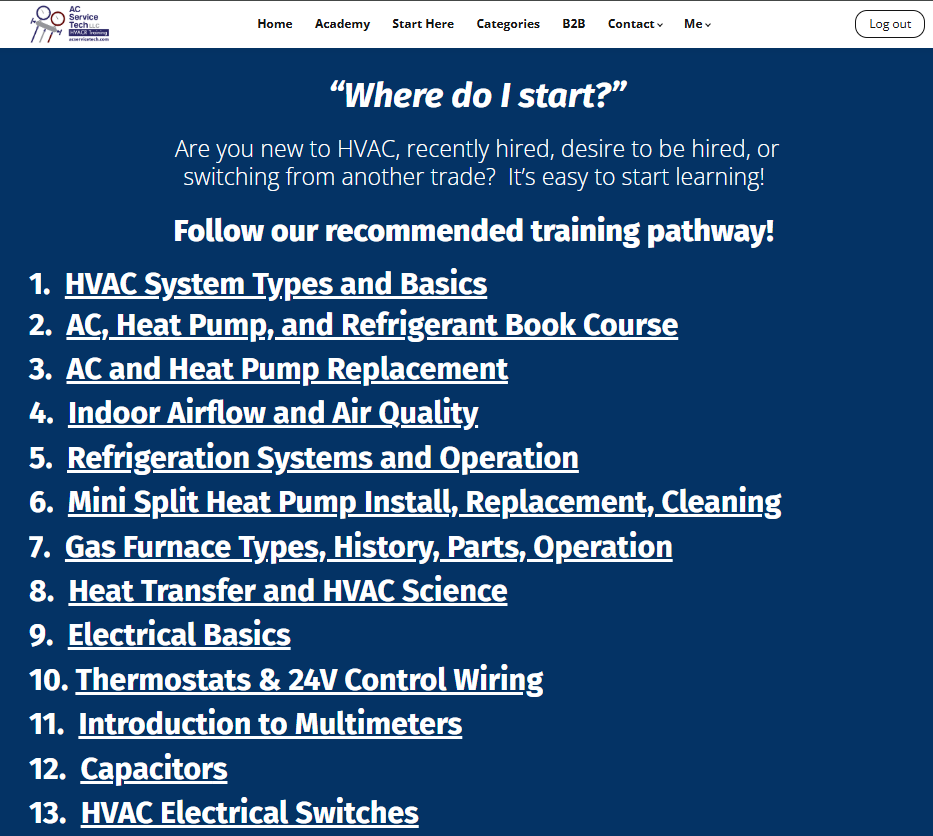
Where do I start?
We have created an outline to guide you through the courses, starting with the basics and building to more complex topics. Are you new to HVAC, recently hired, or desire to be hired? Follow our recommended training pathway on the Start Here page!

Where do I start?
We have created an outline to guide you through the courses, starting with the basics and building to more complex topics. Are you new to HVAC, recently hired, or desire to be hired? Follow our recommended training pathway on the Start Here page!

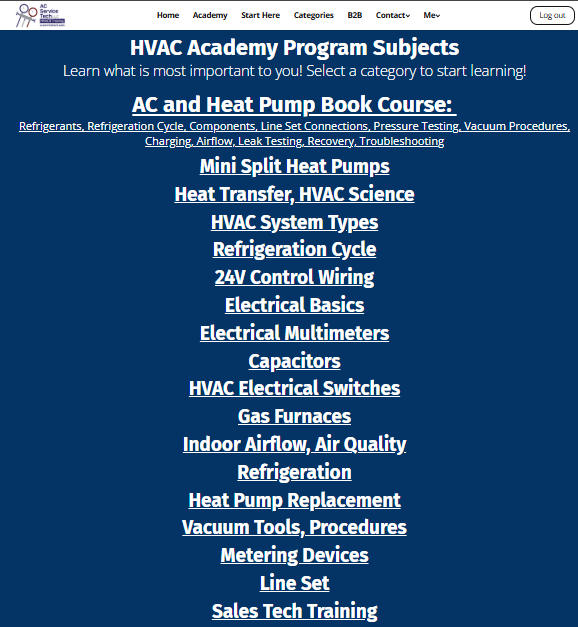
What if I'm looking for a particular subject?
We have an HVAC Academy Program Categories page where you can view courses organized by topic. Select a category to start learning what is most important to you!

What if I'm looking for a particular subject?
We have an HVAC Academy Program Categories page where you can view courses organized by topic. Select a category to start learning what is most important to you!

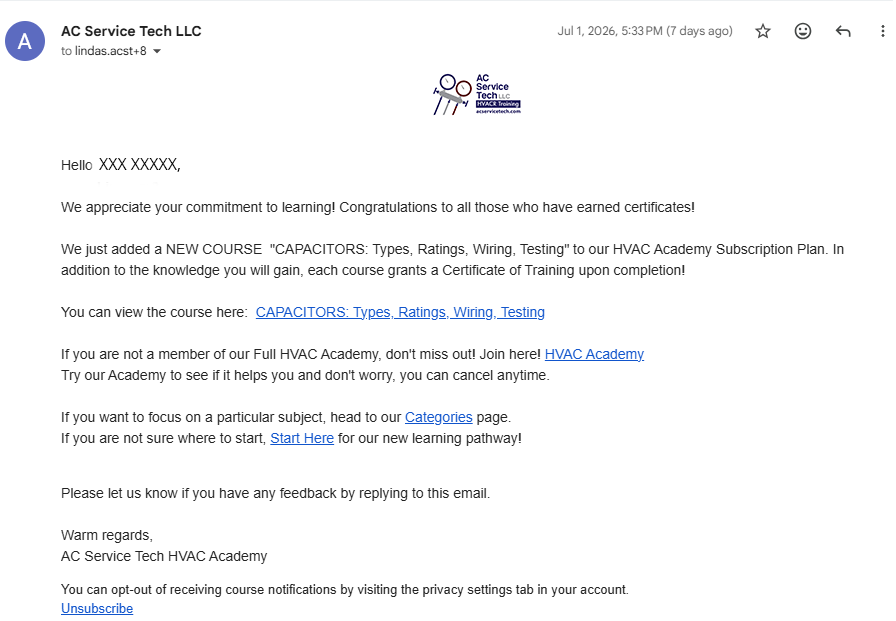
Are you adding new courses?
Yes! We are constantly updating our course catalog with new content, so you always have new courses to work through. We strive to have a new course posted every week. If you're subscribed, we will let you know when each new course is available!

Are you adding new courses?
Yes! We are constantly updating our course catalog with new content, so you always have new courses to work through. We strive to have a new course posted every week. If you're subscribed, we will let you know when each new course is available!

How do I claim my certificates?
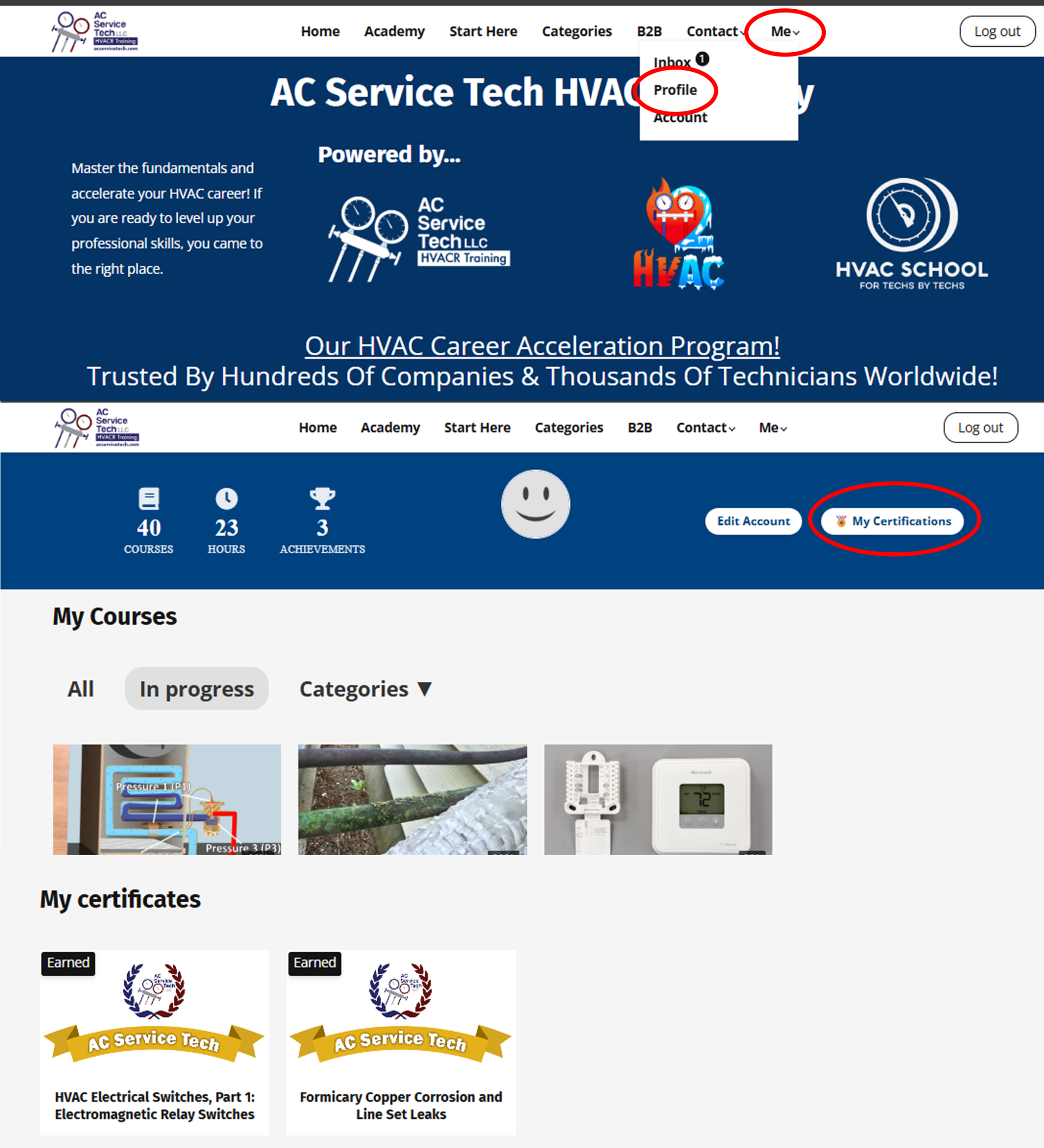
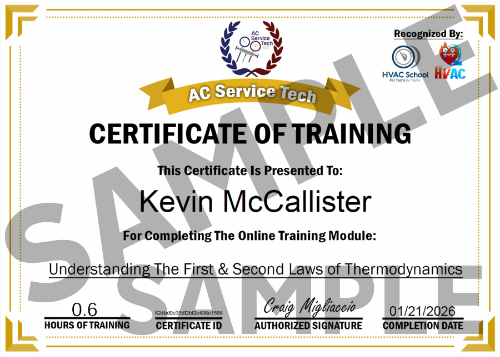
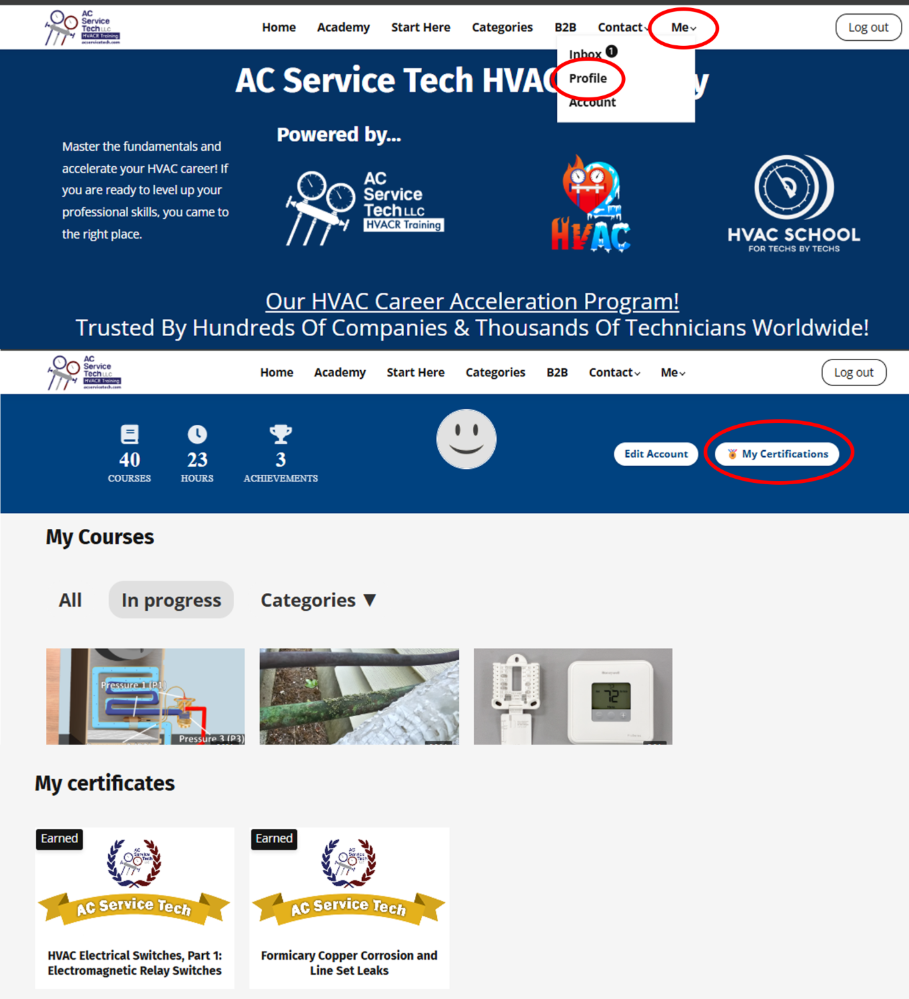
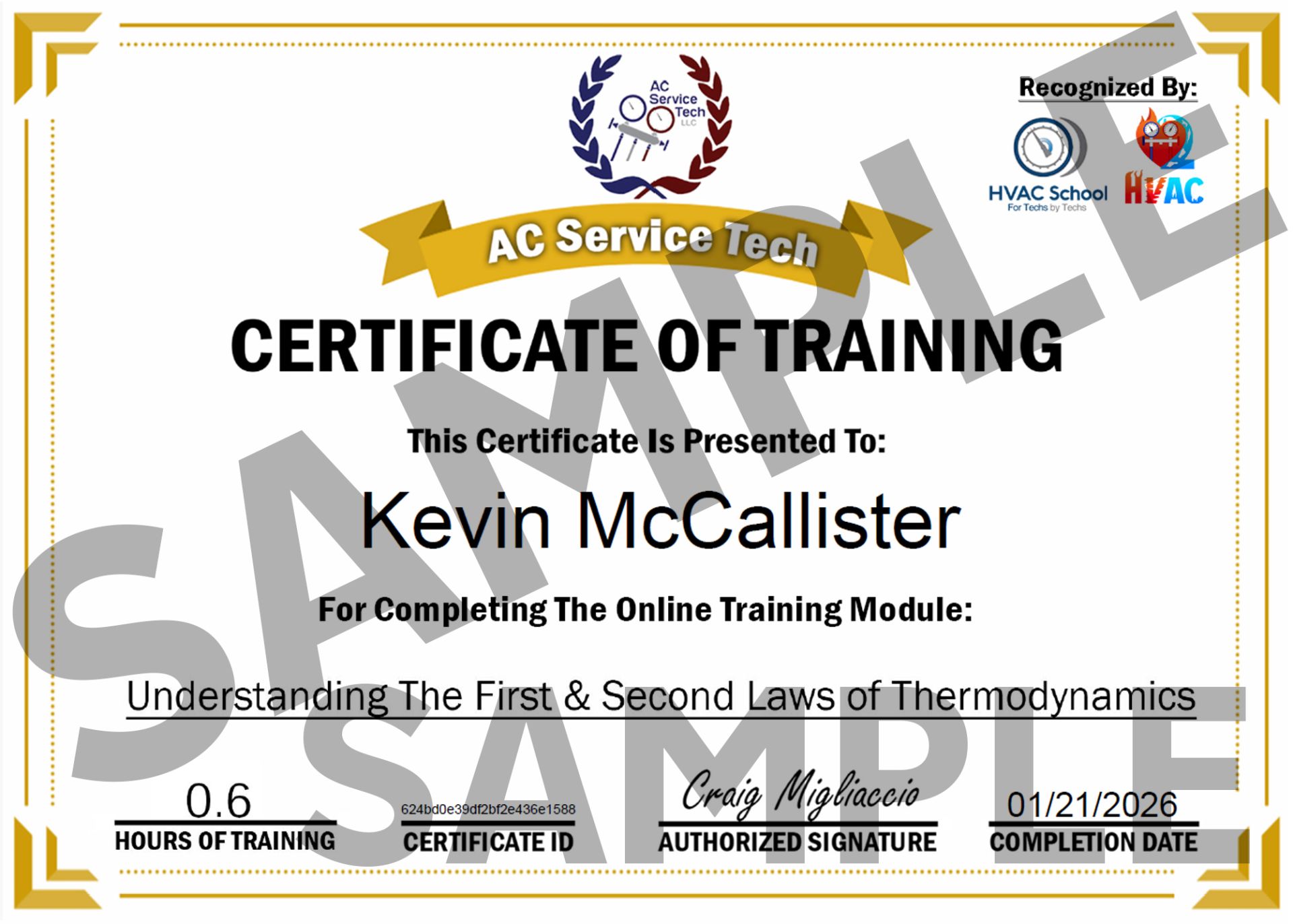
You can claim a certificate as soon as you have watched all of the course's videos, completed all knowledge checks, and passed the final exam. You can download and print your certificate within the course, or you can go to your Profile and click My Certificates, where you can access all of your earned certificates in one place.


How do I claim my certificates?
You can claim a certificate as soon as you have watched all of the course's videos, completed all knowledge checks, and passed the final exam. You can download and print your certificate within the course, or you can go to your Profile and click My Certificates, where you can access all of your earned certificates in one place.


What does my subscription include?
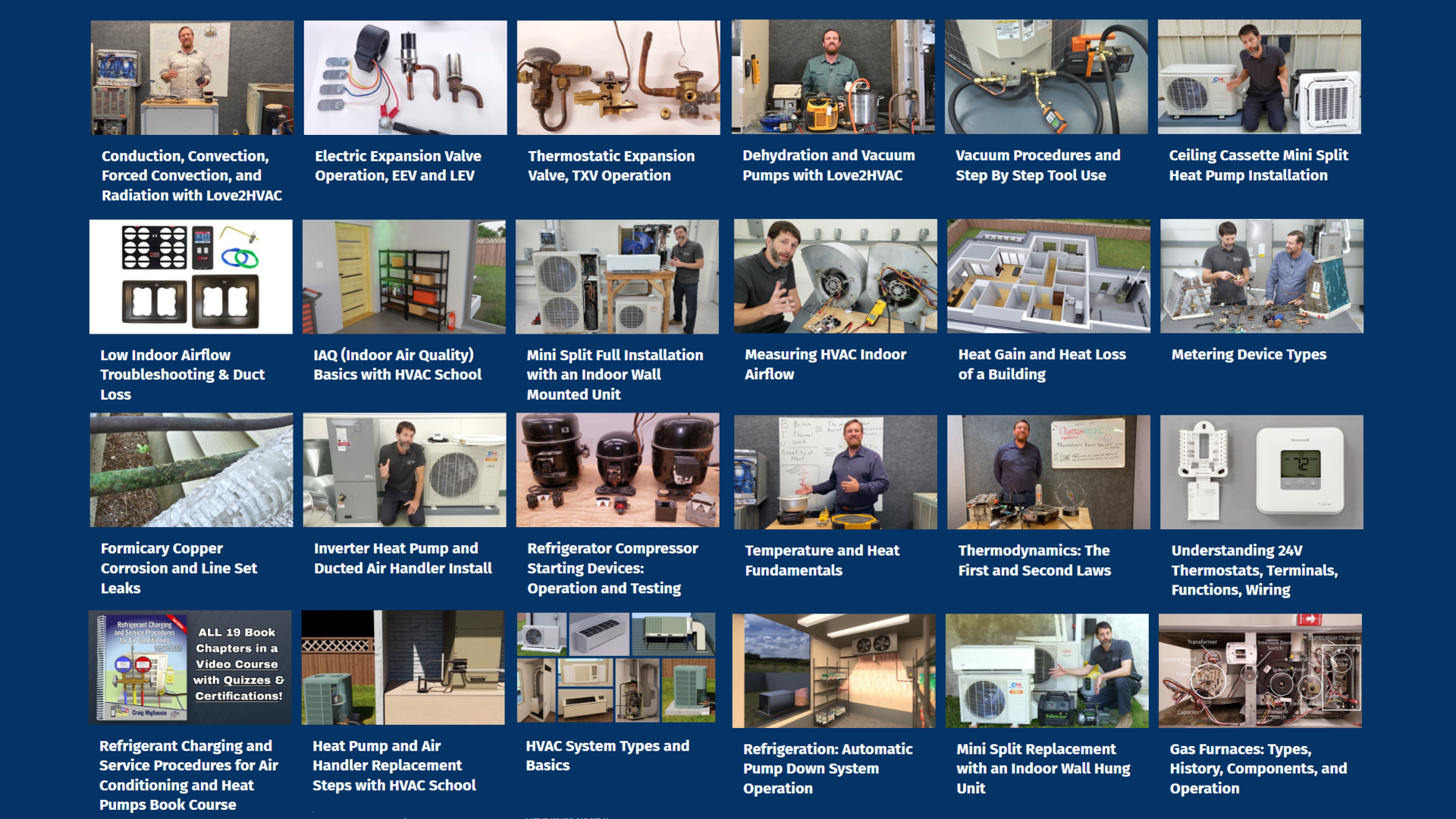
With your monthly subscription, you gain access to every course in the subscription library. We currently have over 100 hours of training across 40+ courses, all of which can be taken on your schedule, at your pace. A new course is added weekly, so you'll always have new content to work on!
What does my subscription include?
With your monthly subscription, you gain access to every course in the subscription library. We currently have over 100 hours of training across 40+ courses, all of which can be taken on your schedule, at your pace. A new course is added weekly, so you'll always have new content to work on!
Can I set up my whole team & monitor their progress?
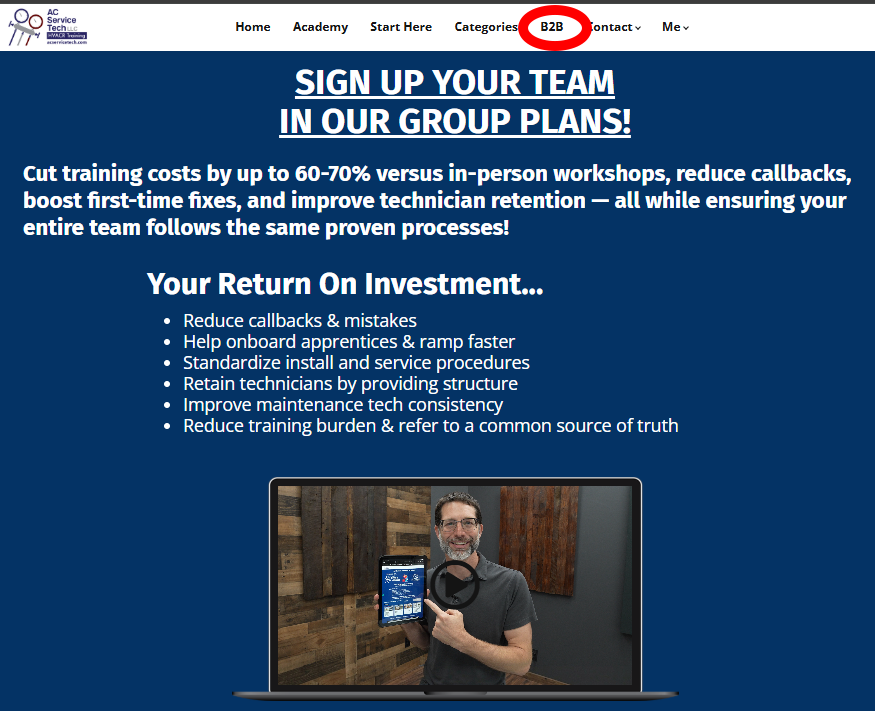
Yes! Check out our B2B page for more information. Our managing member role can add/remove individuals as needed, has full user access to learn in the program, can quick-check progress by monitoring users, has automatic initial setup, and can document technician development and continuing education progress.

Can I set up my whole team & monitor their progress?
Yes! Check out our B2B page for more information. Our managing member role can add/remove individuals as needed, has full user access to learn in the program, can quick-check progress by monitoring users, has automatic initial setup, and can document technician development and continuing education progress.

How do I update my credit card?
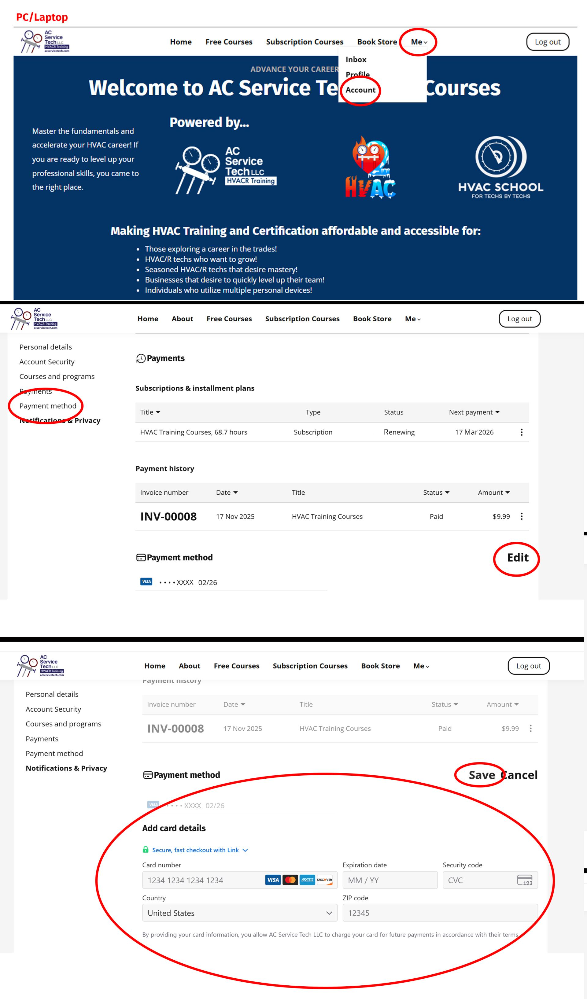
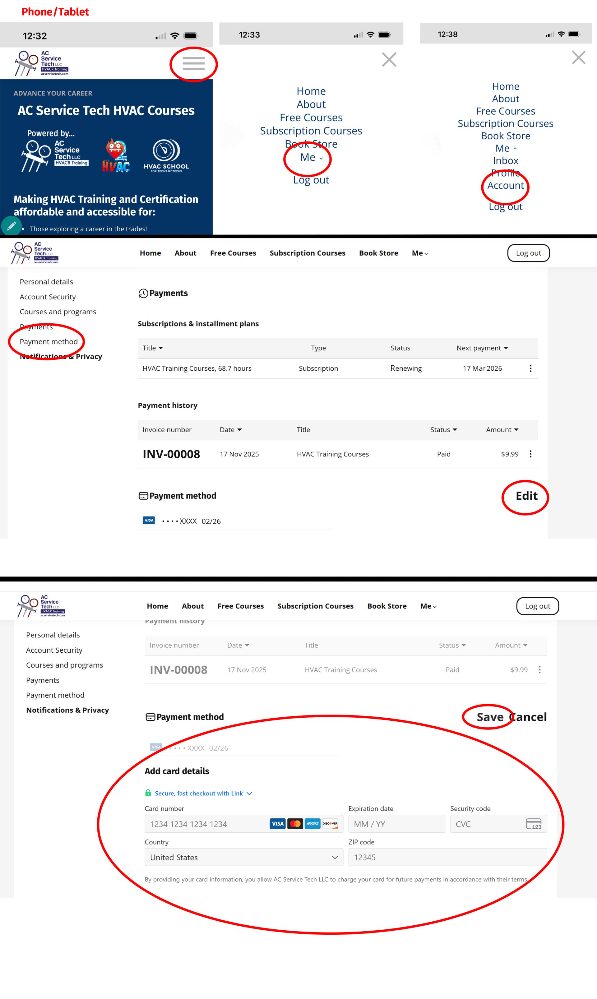
- Open your web browser/In the address bar, enter the following web address: https://hvaccourses.acservicetech.com/ OR Open the HVAC Academy via the app.
- Log into your account if you aren't already.
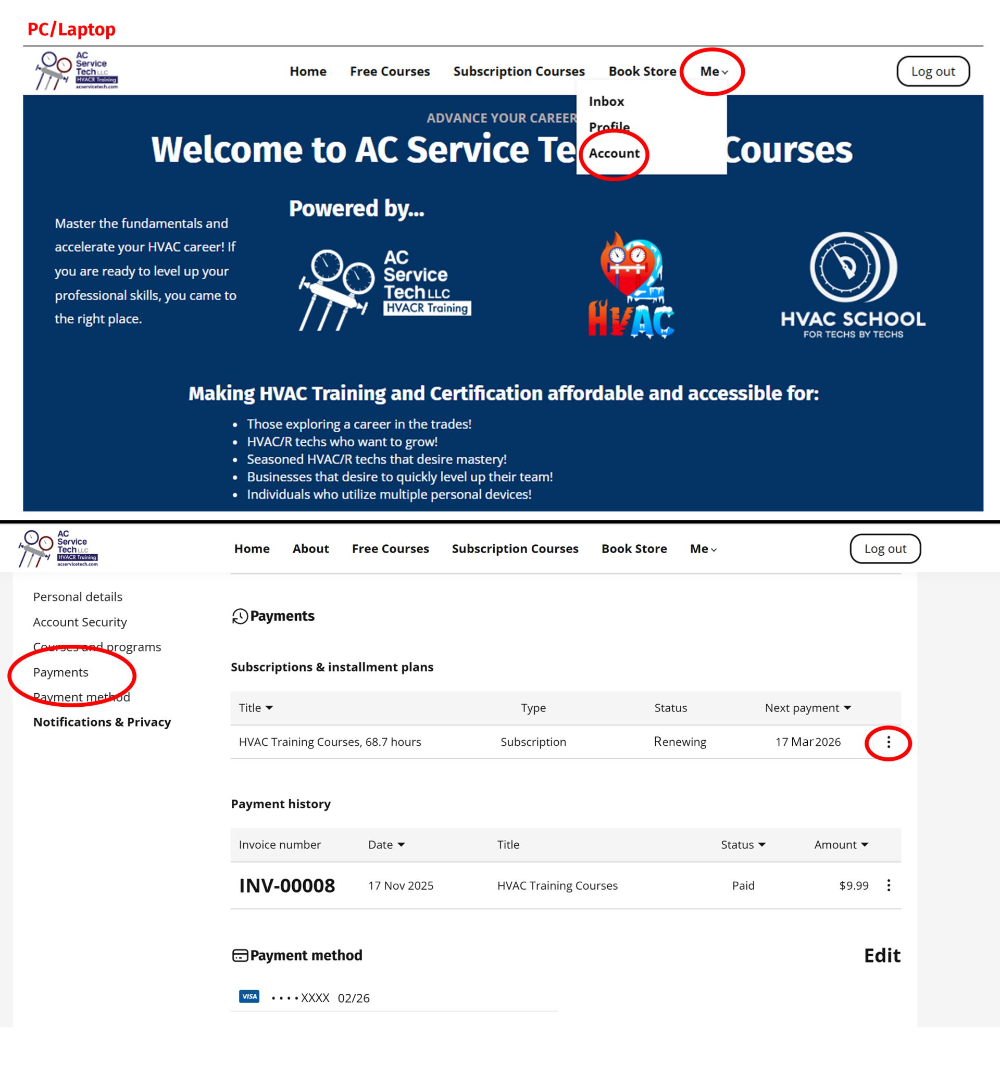
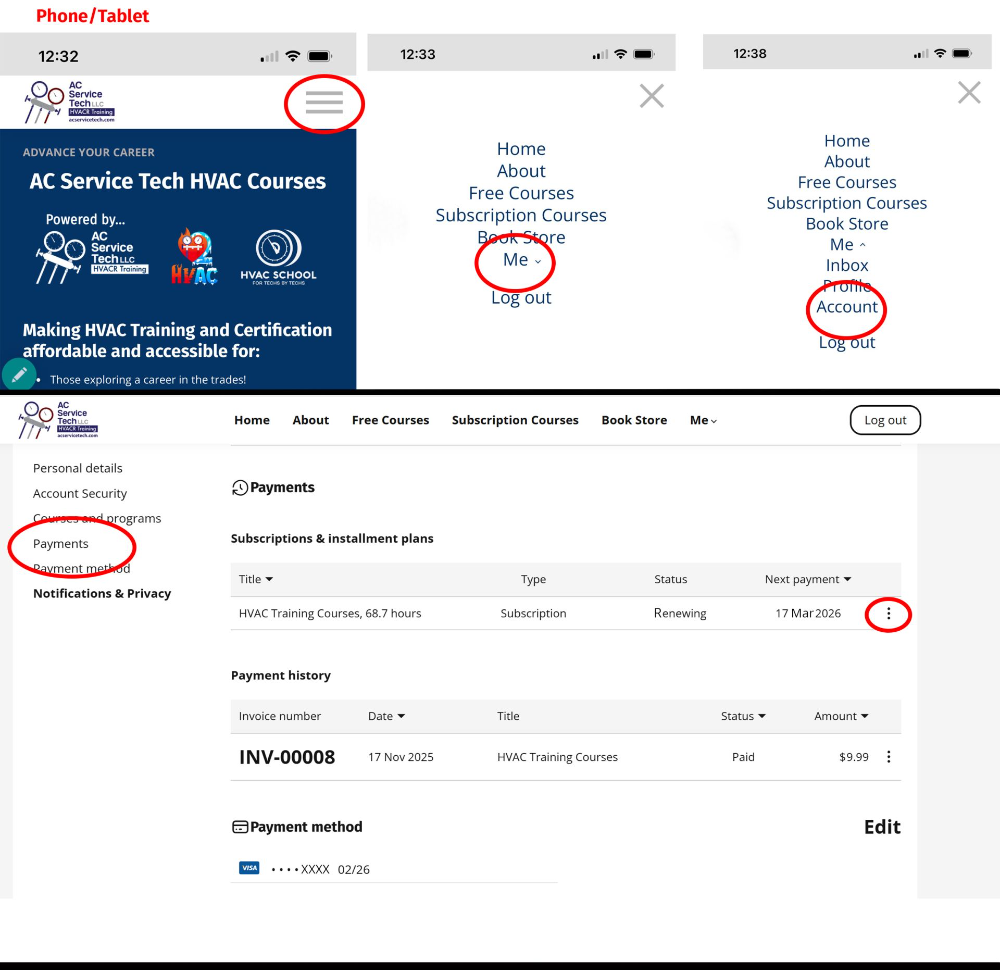
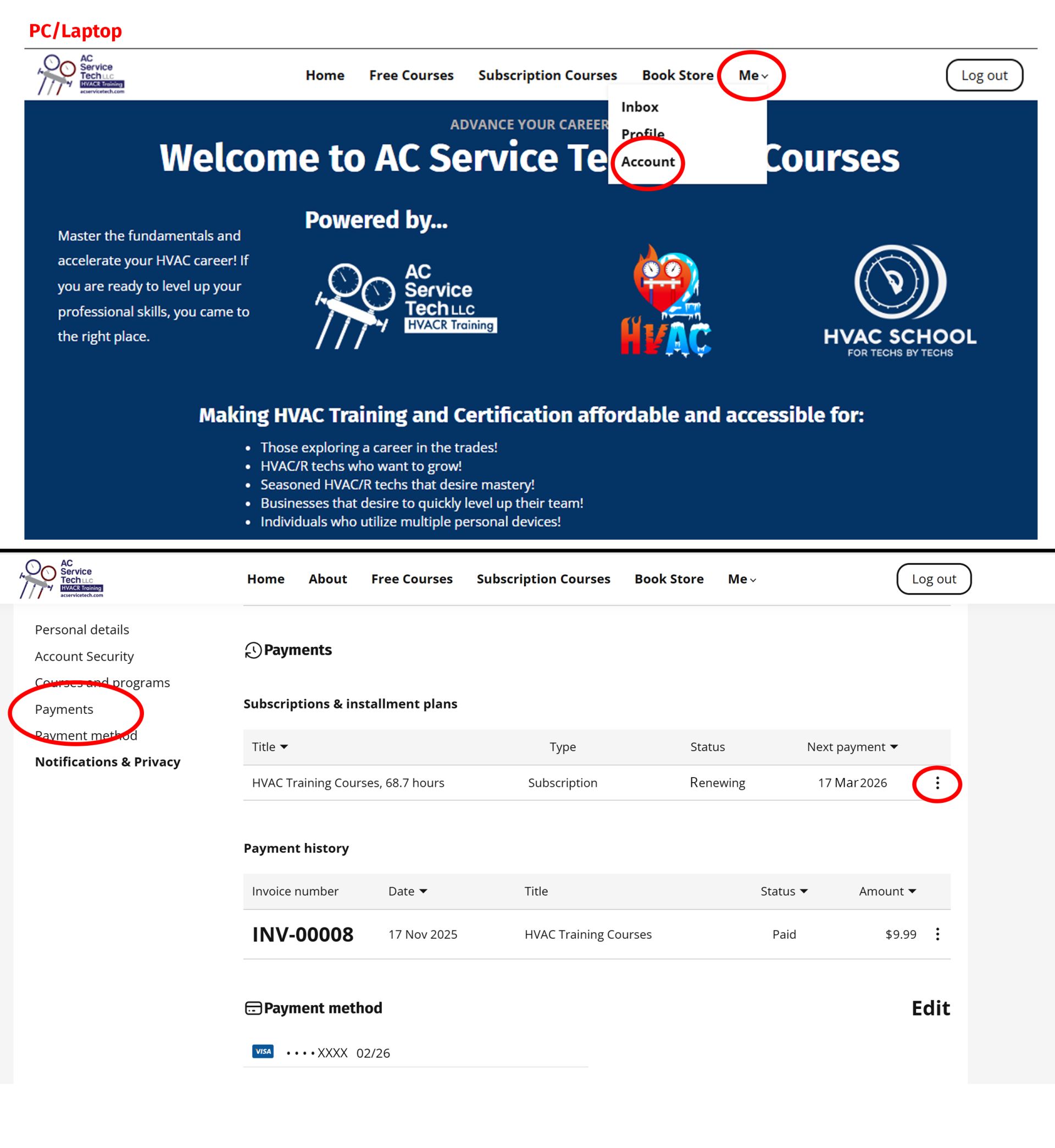
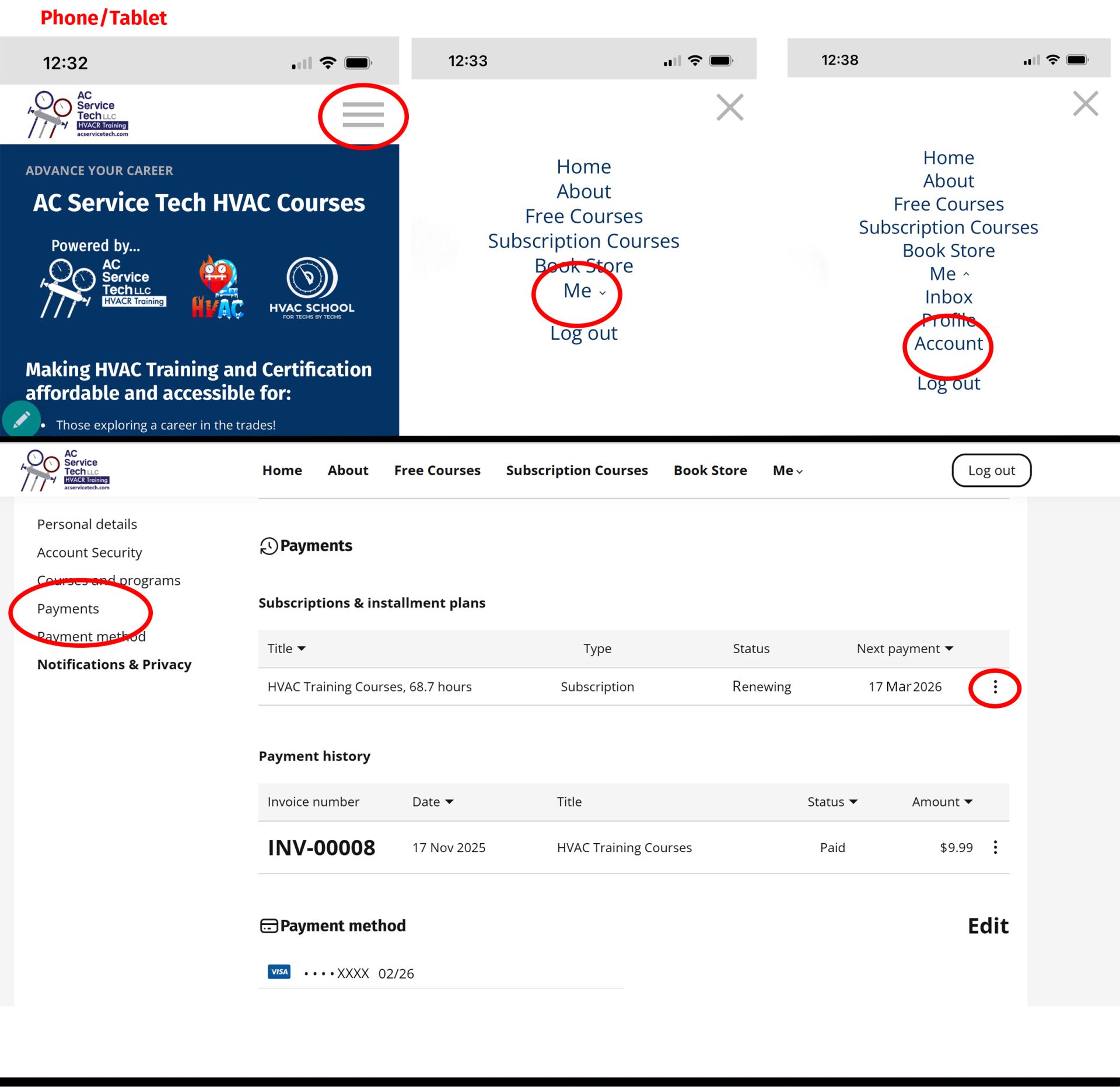
- Go to Me / Accounts / then click the Payments tab or scroll to bottom.
- Click on EDIT next to Payment Method.
- Update payment information and click SAVE.


How do I update my credit card?
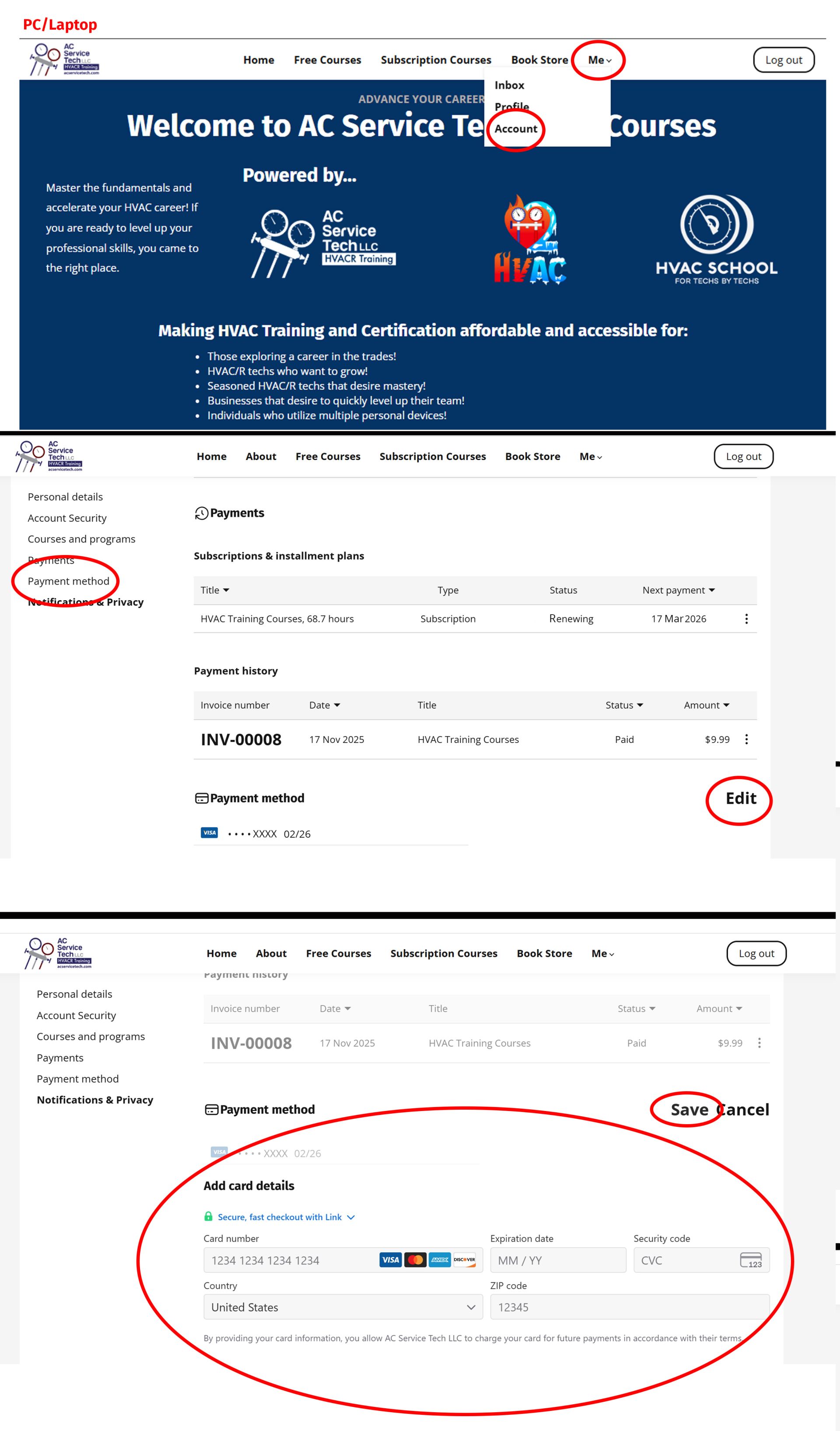
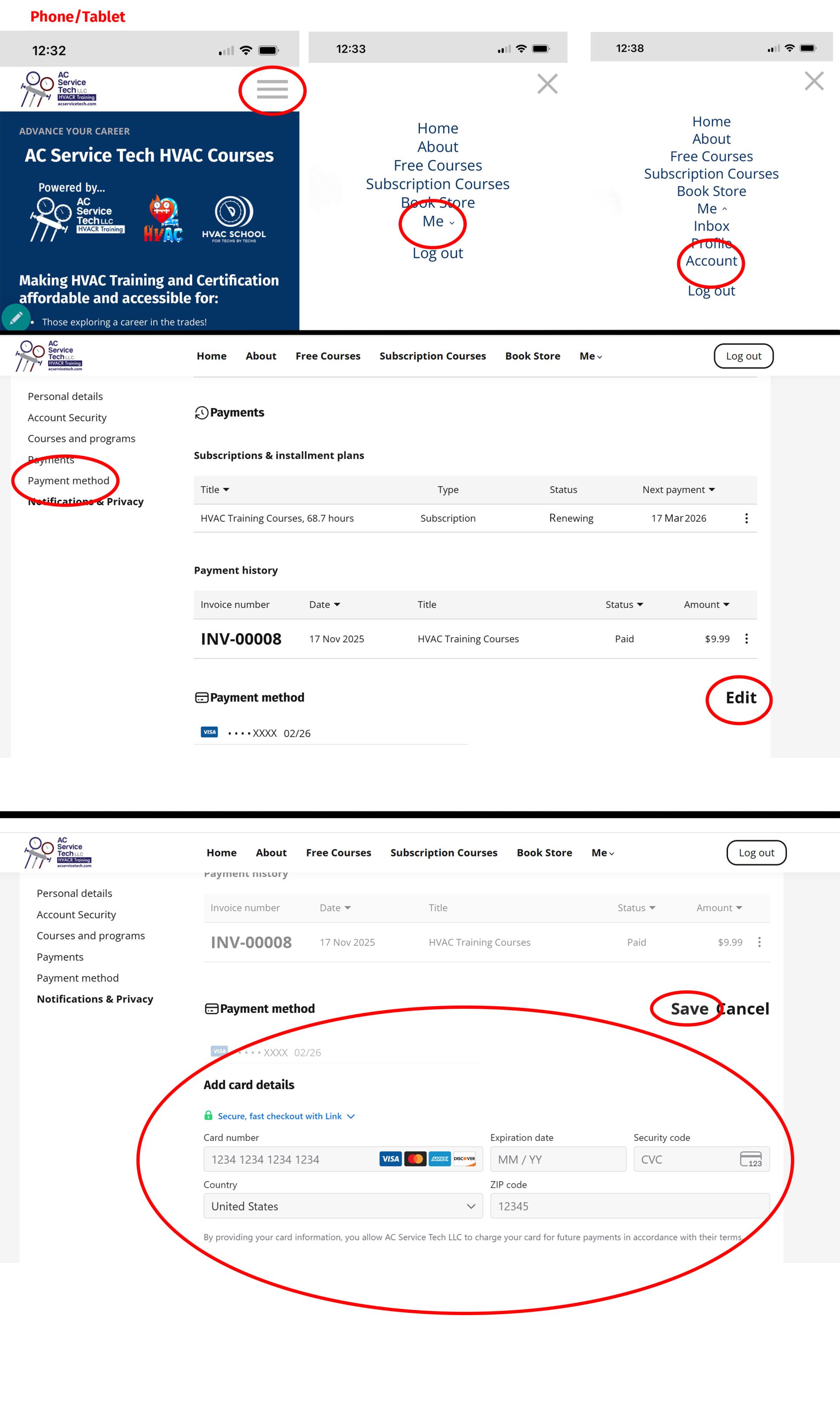
- Open your web browser/In the address bar, enter the following web address: https://hvaccourses.acservicetech.com/ OR Open the HVAC Academy via the app.
- Log into your account if you aren't already.
- Go to Me / Accounts / then click the Payments tab or scroll to bottom.
- Click on EDIT next to Payment Method.
- Update payment information and click SAVE.


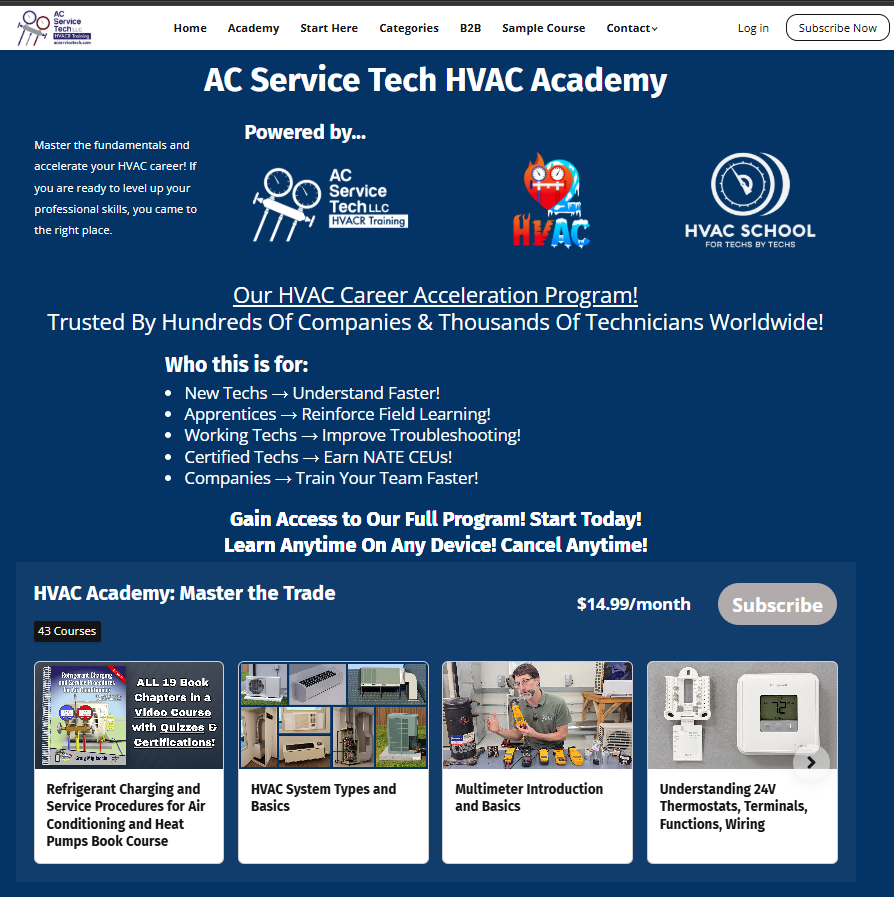
Why is the button saying Subscribe if I am already subscribed?
Even though you can stay logged in on all devices, from time to time due to device or Academy updates, you may get logged out. If you are seeing the Subscribe button, look at the top menu, and if it says Log In, simply log back into the Academy. If you are on a mobile device, simply select the three line "hamburger" icon on the right, and then select "Log In” on the drop down menu.
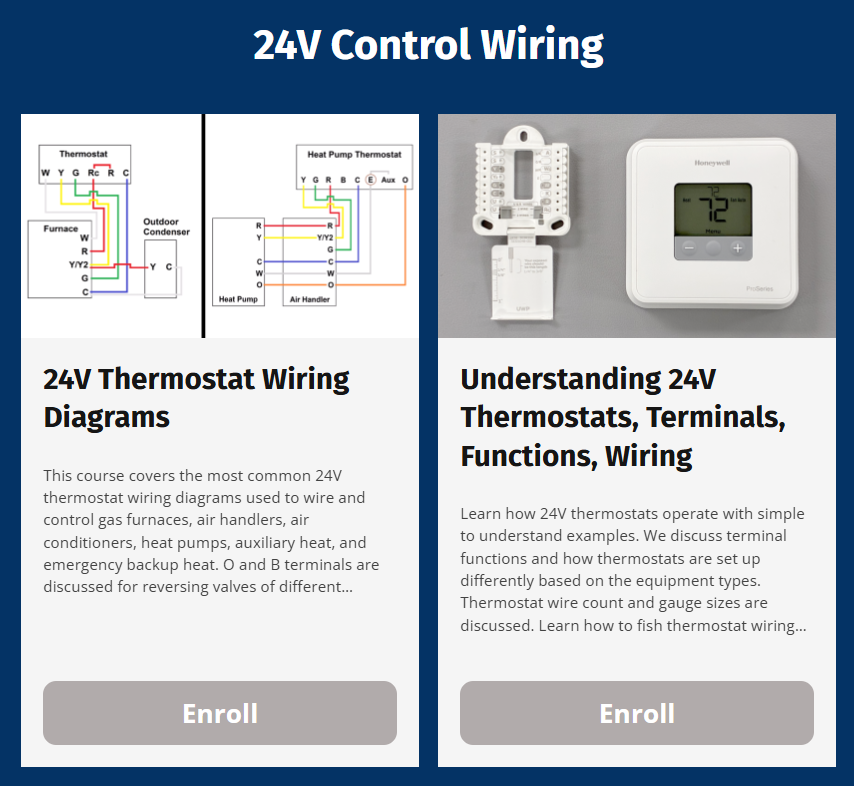
On a course page, if the button says “Enroll” instead of “Continue”, it simply means that you need to log in.

Why is the button saying Subscribe if I am already subscribed?
Even though you can stay logged in on all devices, from time to time due to device or Academy updates, you may get logged out. If you are seeing the Subscribe button, look at the top menu, and if it says Log In, simply log back into the Academy. If you are on a mobile device, simply select the three line "hamburger" icon on the right, and then select "Log In” on the drop down menu.
On a course page, if the button says “Enroll” instead of “Continue”, it simply means that you need to log in.


I'm having problems viewing the site and/or hearing videos. What is going on?
The issue may be your internet browser. Some browsers have problems loading the site and/or videos. Microsoft Edge doesn't work as well as others, as it seems that Microsoft Edge is not maintaining their browser continually. Try switching to another browser. If you are still having issues, email us at info@acservicetech.com for further technical support.


I'm having problems viewing the site and/or hearing videos. What is going on?
The issue may be your internet browser. Some browsers have problems loading the site and/or videos. Microsoft Edge doesn't work as well as others, as it seems that Microsoft edge is not maintaining their browser continually. Try switching to another browser. If you are still having issues, email us at info@acservicetech.com for further technical support.


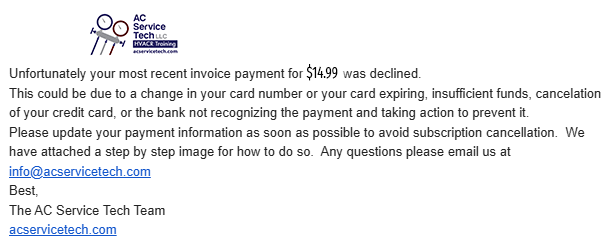
I'm unable to access the Academy due to non-payment. How do I fix this?
You may have either had insufficient funds in your account or your credit card expired. We will send you several automated emails to let you know that we are having problems processing your payment prior to you losing access to the Academy. To fix this, please see above for updating your credit card. Any progress you have made in the Academy will remain with your email/login.

I'm unable to access the Academy due to non-payment. How do I fix this?
You may have either had insufficient funds in your account or your credit card expired. We will send you several automated emails to let you know that we are having problems processing your payment prior to you losing access to the Academy. To fix this, please see above for updating your credit card. Any progress you have made in the Academy will remain with your email/login.

Why can't I log into my account?
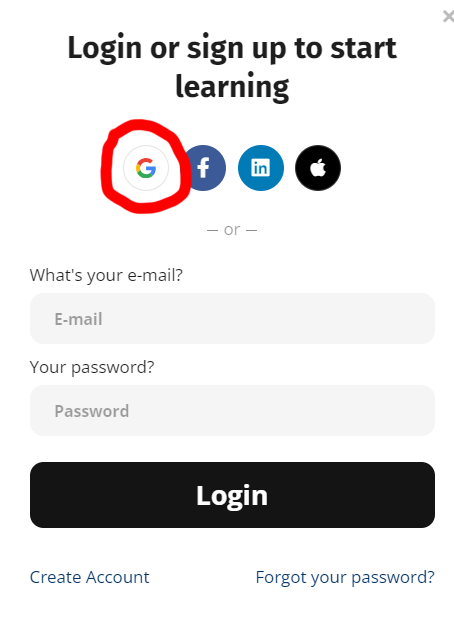
If you used the social media shortcuts when you originally signed up to the
Academy, you will always need to click that same icon to log in. This means that if you clicked the Gmail, Facebook, LinkedIn or Apple button to log in through one of those accounts instead of creating an account via email/password then you

should continue to log in through that same method. Click the icon again and it
will log you in.
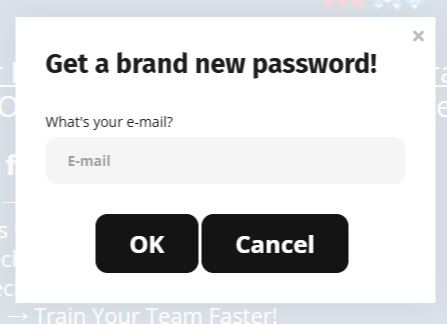
Do not use your email and make a brand-new password, as this will only make a new account instead of logging you into your existing account that utilizes the Gmail, Facebook, Linked In, or Apple Icon log in method.


Why can't I log into my account?
If you used the social media shortcuts when you originally signed up to the
Academy, you will always need to click that same icon to log in. This means that if you clicked the Gmail, Facebook, LinkedIn or Apple button to log in through one of those accounts instead of creating an account via email/password then you
should continue to log in through that same method. Click the icon again and it
will log you in.
Do not use your email and make a brand-new password, as this will only make a new account instead of logging you into your existing account that utilizes the Gmail, Facebook, Linked In, or Apple Icon log in method.


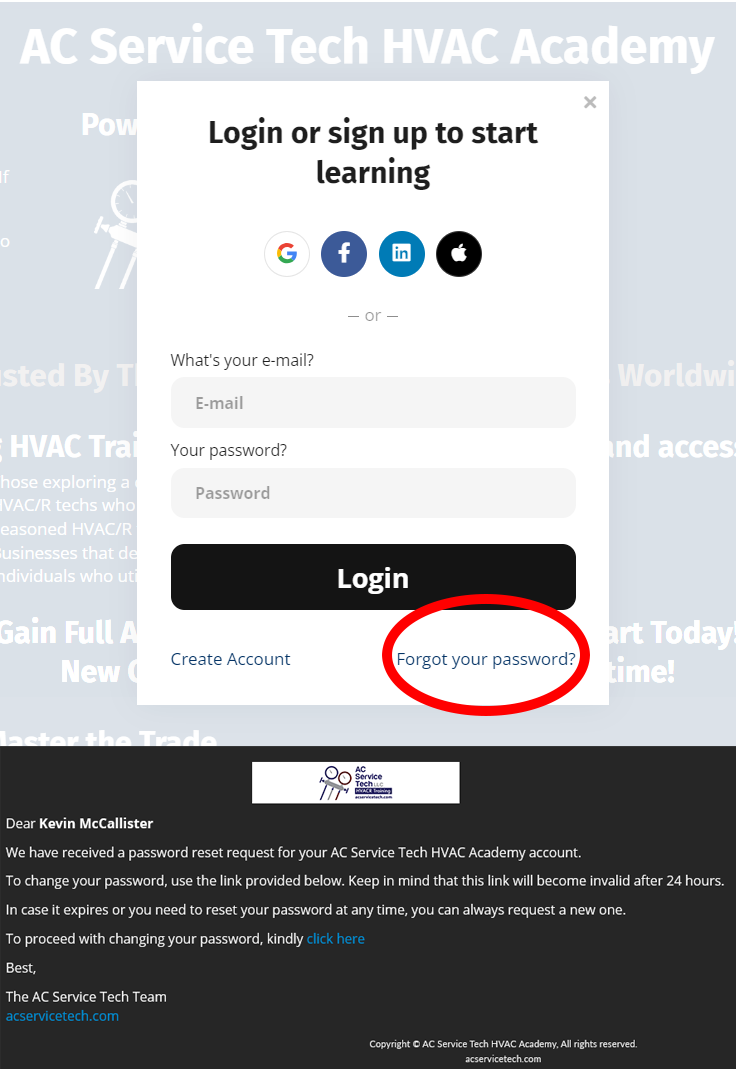
I don't remember my password. What do I do?
If you don't remember your password, click "forgot password" to reset it. Type in your email address and you will receive an email with a link to reset your password.
If you used the social media short cuts when you originally signed up to the Academy, see the instructions above in reference to the Gmail, Facebook, LinkedIn and Apple buttons. No password is required. If you are not sure how you logged in, we can check for you. Email us at info@acservicetech.com


I don't remember my password. What do I do?
If you don't remember your password, click "forgot password" to reset it. Type in your email address and you will receive an email with a link to reset your password.
If you used the social media short cuts when you originally signed up to the Academy, see the instructions above in reference to the Gmail, Facebook, LinkedIn and Apple buttons. No password is required. If you are not sure how you logged in, we can check for you. Email us at info@acservicetech.com


What if I fail a graded exam?
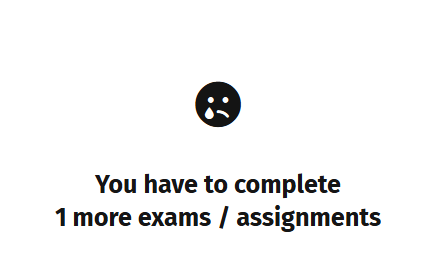
You cannot print your certificate until you pass the final exam. All of our exams can be retaken as many times as you need. Review the course content and knowledge checks to strengthen your understanding of the topics before retaking.

What if I fail a graded exam?
You cannot print your certificate until you pass the final exam. All of our exams can be retaken as many times as you need. Review the course content and knowledge checks to strengthen your understanding of the topics before retaking.

How do I cancel my account?
In the menu bar, click Me / Account / Payments. Click on the 3 dots to the right of "Subscriptions & installment plans", and click Cancel. You will still have access to our free courses, and you can re-subscribe in the future if you would like. All progress will remain for up to 1 year for if/when you return.


How do I cancel my account?
In the menu bar, click Me / Account / Payments. Click on the 3 dots to the right of "Subscriptions & installment plans", and click Cancel. You will still have access to our free courses, and you can re-subscribe in the future if you would like. All progress will remain for up to 1 year for if/when you return.


What if I have more questions that are not answered here?
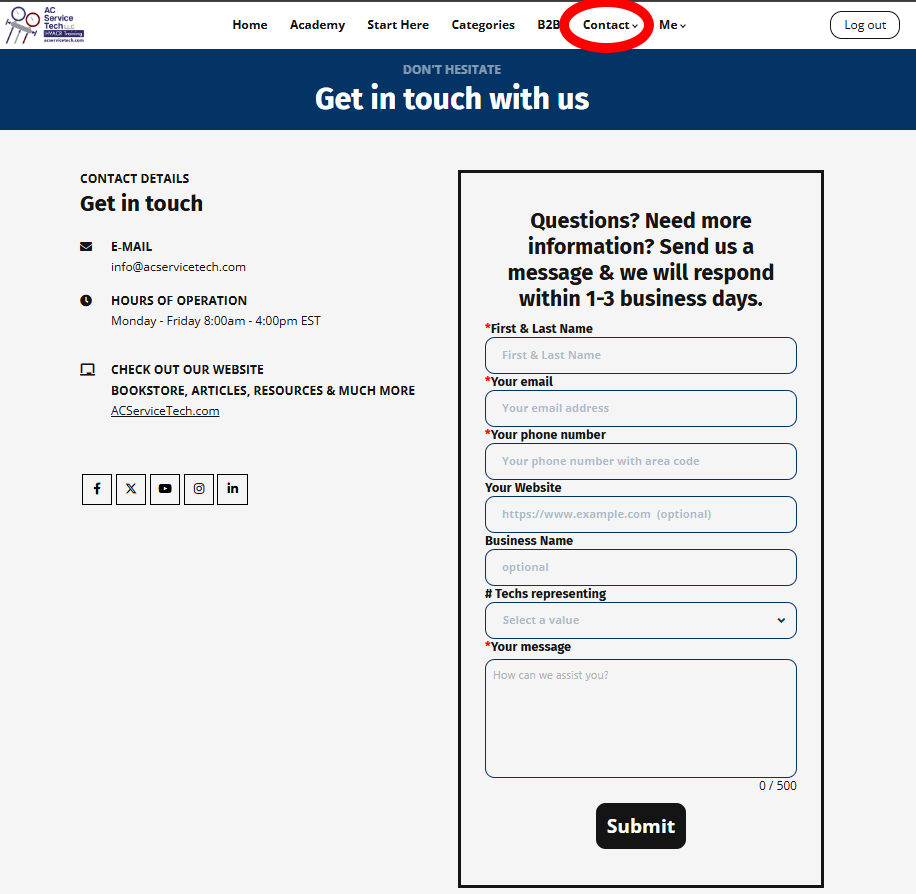
You can go to the Contact page and fill out the contact form to send us a message, or you can email your questions to info@acservicetech.com. We will respond to you as soon as possible. We're here to help!

What if I have more questions that are not answered here?
You can go to the Contact page and fill out the contact form to send us a message, or you can email your questions to info@acservicetech.com. We will respond to you as soon as possible. We're here to help!

Who we are
Our Vision is to provide educational growth in the trades to further advance each student/technician's ability to become valuable and proficient in their career.
Featured links
Connect with us
-
Email
-
YouTube
-
Facebook
-
Instagram
-
Linkedin
Copyright © 2026 AC Service Tech LLC
For Questions and Custom Quotes, Contact: info@acservicetech.com